Launching Soon

Typing. Searching.
Never Again.

Clipboard history meets text snippets. Access everything with a single shortcut.
Stop wasting time on repetitive typing.
SnipIt Icon

Requires macOS 13.0 (Ventura) or later

EXPERIENCE

Try the SnipIt Workflow

Click a snippet below to paste it instantly. Experience the speed.

Click to experience
MacBook Pro
Mail
100%
New Message
To:client@company.com
Subj:Weekly Project Update
|
1
Progress Report (Template)
Business • Report
Click!
2
Weekly Greeting
Business • Greeting
3
Zoom Regular Meeting
Online MTG
4
Company Signature (Standard)
Signature
Paste Space Preview
Premium Features

Maximize Your Mac Productivity

See, Select, and Paste
That Thing You Just Copied.

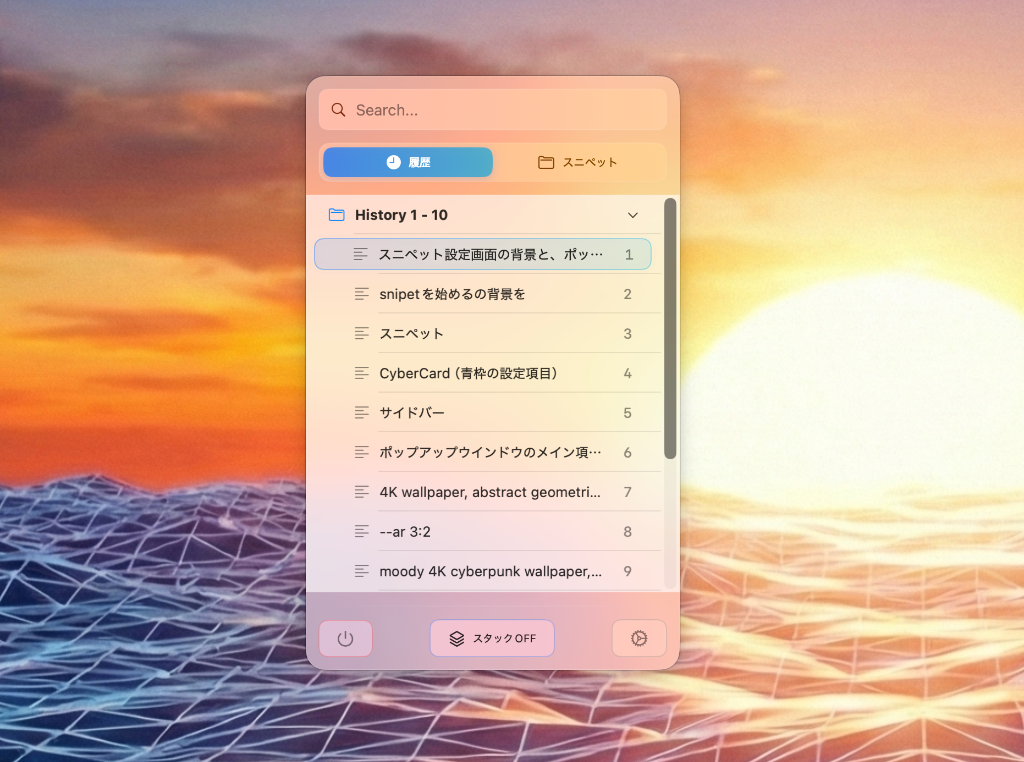
SnipIt automatically saves your clipboard history in the background. Text, images, and even file paths.
Press + + V to open history and paste without breaking your flow.
The new "Quick Look" feature lets you preview content in a large pop-up before pasting.

  • Supports text, images, and files
  • Exclude specific apps for privacy
  • Instantly find past items with search
  • Press Space for large preview
Clipboard History UI

Organize Your Snippets
Beautifully.

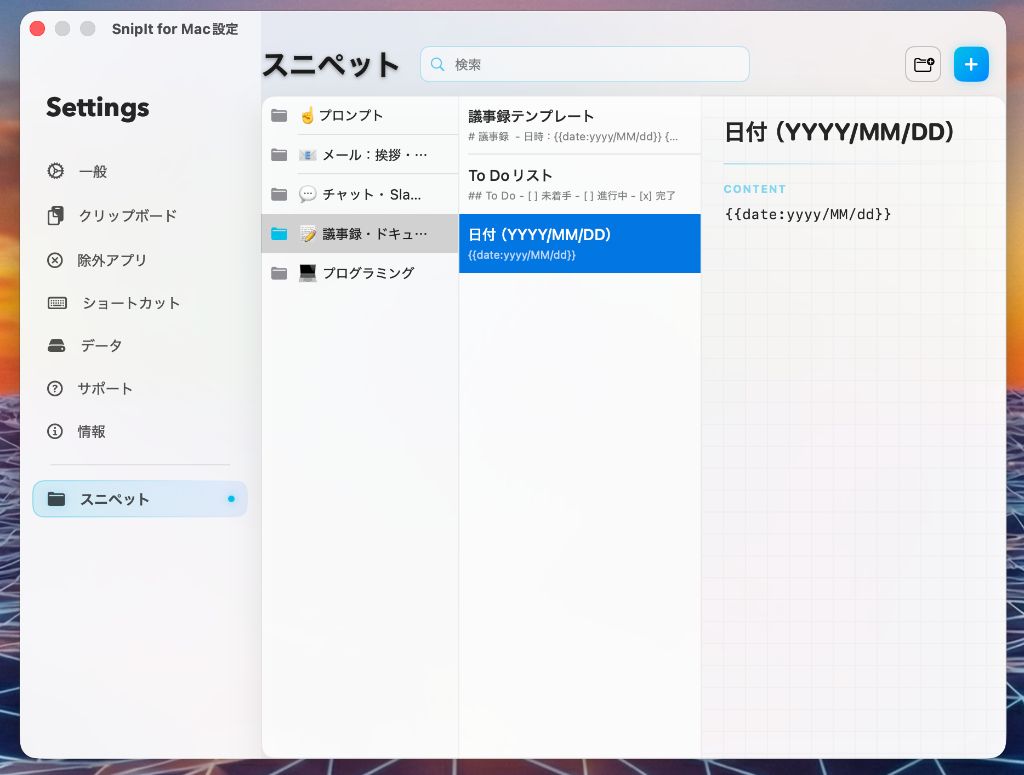
Email signatures, chat replies, code snippets. Manage your scattered templates with folders.
The 3-pane management interface lets you intuitively edit and organize even large collections.

How to migrate from other tools
Snippet Settings UI
New Feature

Copy Multiple, Paste in Order.
"Paste Stack".

Copy multiple items from a document, then paste them one by one in another app. Items stack in copy order (FIFO), and you can retrieve them with a dedicated shortcut.

  • Stack items in copy order (FIFO)
  • Smart floating counter on desktop corner
Paste Stack UI

Auto-Fill Dates,
Cursor Position, and More.

Embed variables in your snippets for dynamic conversion on paste. No more manually typing "today's date" or "end of next month".

// Template
Good morning,
Here is my report for {{date:yyyy/MM/dd}}.
...
{{cursor}}
// Output (Today: 2026/01/26)
Good morning,
Here is my report for 2026/01/26.
...
Supported Placeholders
{{date}} Today's date
{{time}} Current time
{{date+7d}} 1 week later
{{eom+1m}} End of next month
and more...
FUNCTIONS

Powerful Features

Built for professionals who value speed and efficiency.

Keyboard First

⌘⇧V to invoke, arrows to navigate, Enter to paste.
Your hands never leave the keyboard.

V

Incremental Search

Search both titles and content. Find your target from hundreds of snippets in milliseconds.

report|

Paste Stack

Sequential auto-paste for copied items. Forms and repetitive tasks done in seconds.

Quick Look

Press Space to preview before pasting. Verify images and long text with confidence.

For Engineers

  • Copy File Path

    Convert Finder-copied files to path text.

  • Plain Text Paste

    Auto-strip formatting from web content.

App Exclude

Exclude password managers and sensitive apps from clipboard monitoring.

Dark Mode

Auto-switch based on your system settings.

Your Data Stays
on Your Device.

SnipIt never sends your text or clipboard history to external servers.
All data is stored locally on your Mac or in your personal iCloud space.
Handle passwords and sensitive information with confidence.

Offline Ready
Local Storage
No Tracking
Seamless Migration

Bring Your Existing
Snippets to SnipIt.

Already have a library of text snippets?
SnipIt supports standard XML format import.
No need to rebuild from scratch.

Step 1
Export as XML
Step 2
Import to SnipIt
Ready
snippets.xml
12KB • XML Format
Import Complete
Business (15)
Personal (8)
Code Snippets (24)

Simple, Honest Pricing.

Start free. Upgrade once, use forever. No subscriptions.

Free

$0
  • Up to 10 clipboard history
  • Up to 10 snippets
  • Up to 3 folders
  • Text Expander
  • XML Import
POPULAR

Premium

$29.99
$23.99
/ One-time (Lifetime)
Launch Special
  • Unlimited History
  • Unlimited Snippets
  • Unlimited Folders
  • XML Import & Export

Frequently Asked Questions

Q. What OS is supported?

macOS 13.0 (Ventura) or later. Works on both Apple Silicon (M1/M2/M3/M4) and Intel Macs.

Q. Pasting doesn't work?

Auto-paste requires Accessibility permission.
Go to System Settings > Privacy & Security > Accessibility and enable SnipIt.

Q. Does it sync with iPhone?

Yes, it syncs instantly via iCloud. Snippets saved on iPhone are immediately available on your Mac.

Experience Unprecedented Speed.

MacBook Pro
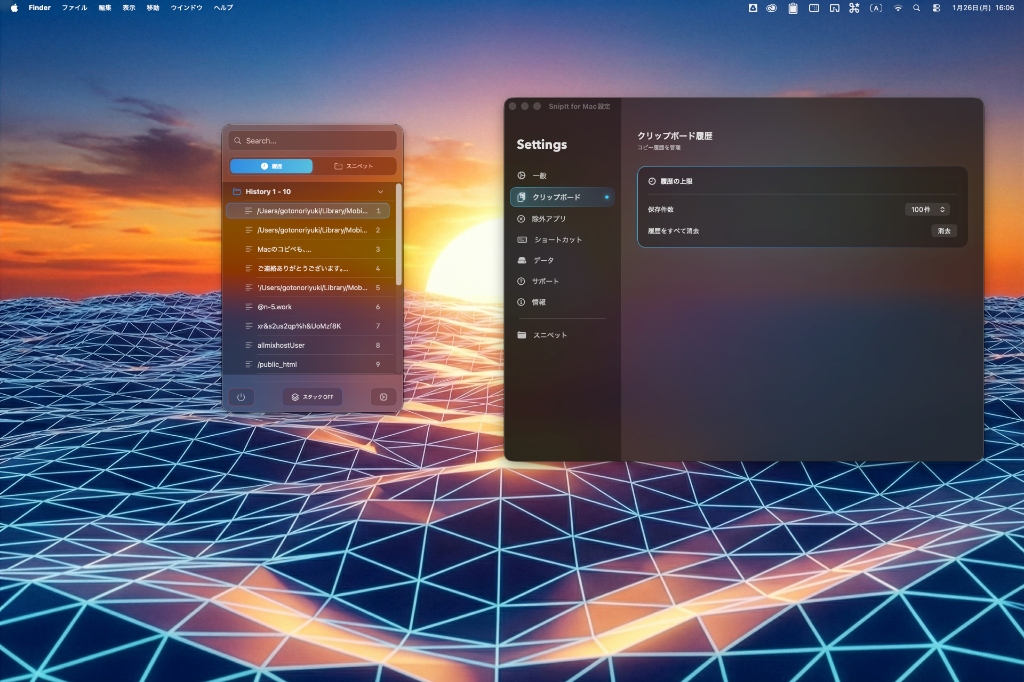
SnipIt Screen

SnipIt for Mac is free to try.
Download now and feel the difference.

Requires macOS 13.0 (Ventura) or later